BlockSite: Block Apps & Sites
BlockSiteProductivity
3.83.56K Reviews
- Version
- 2.13.4.10238
- Installs
- 10.00M
- Age Rating
- Everyone
Screenshots
Our Review of BlockSite: Block Apps & Sites
 Analysis by Appyee
I reach for a blocking tool when a quick check of one app turns into a lost stretch of time. The hard part is rarely knowing what I meant to do; it is interrupting the automatic habit of opening the same distracting site whenever work gets dull. BlockSite: Block Apps & Sites is built for that everyday problem: it lets me put a barrier between an impulse and the content that tends to absorb my attention.
That barrier is useful when I want a practical nudge, not a complete redesign of my routine. I can decide which distractions matter, then use blocking schedules to make the choice before I am tempted. The key question is whether that small amount of friction saves more time and attention than it takes to set up and maintain.
Getting Started with BlockSite
The moment you download BlockSite: Block Apps & Sites, you'll appreciate its clean and user-friendly interface. Installing and setting it up is a breeze. Once you open the app, it walks you through the setup process with clear instructions. You can start blocking apps and websites in just a few taps.
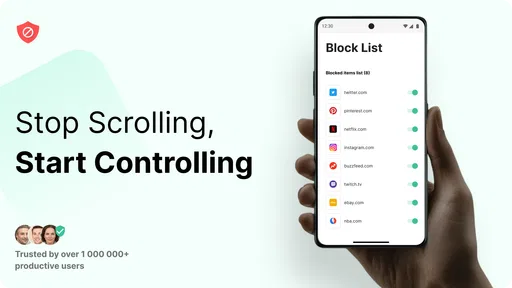
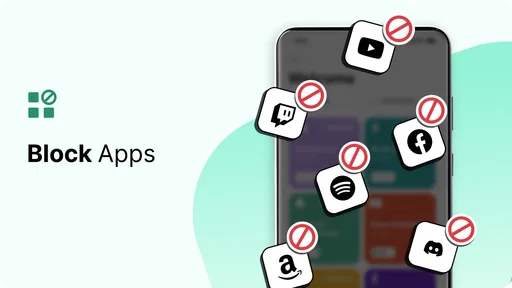
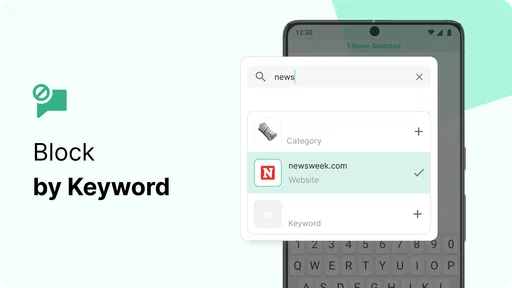
Upon launching, you’ll find the dashboard, which is straightforward and intuitive. Here, you can add sites to block with ease. Whether you want to block specific URLs or entire categories of sites, the app gives you the flexibility to do so. And if you're like me, who can get sucked into a vortex of social media, this feature is an absolute lifesaver.
For a first setup, I would start with just one or two distractions that regularly derail a specific part of the day. Blocking everything at once can make a phone feel unexpectedly restrictive, while a short list makes it easier to notice whether the change is helping. It also gives me a simple way to adjust: if I keep reaching for a blocked site during a planned break, I can reconsider the schedule rather than abandoning the whole idea.
Before committing to a routine, I’d check that the sites and apps I genuinely need remain available. A work session can be undermined if a blocker catches a useful resource along with entertainment, and an overly broad block can create extra interruptions. The better setup is specific enough to stop habitual detours but not so broad that it interferes with necessary tasks.
Features that Stand Out
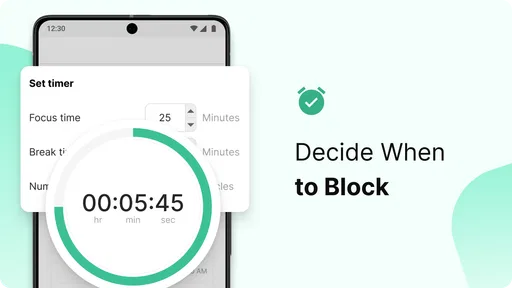
Now, let’s talk about what makes BlockSite stand out from the crowd. One of its key features is the ‘Work Mode.’ This is perfect for setting focused work sessions with scheduled breaks. You can customize work intervals and break times to fit your routine. It’s like having your own digital taskmaster!
Another nifty feature is the ‘Adult Content Blocker.’ If you’re using shared devices or simply want to ensure a safe browsing environment, this feature filters out inappropriate content. It’s a nice touch for peace of mind.
And for those moments when you need a little extra encouragement to stay focused, BlockSite offers motivational messages that pop up when you try to access a blocked site. It’s a gentle reminder to stay on track, and honestly, it works wonders.
Work Mode is most useful when I decide the boundaries before the session begins. For example, I can set aside a stretch for writing, keep the usual time-wasting destinations out of reach, and allow the scheduled break to provide a natural stopping point. That works better than waiting until I feel distracted and trying to make a fresh decision in the moment. If my day is unpredictable, however, a rigid plan can become another thing to manage, so I’d keep the schedule realistic rather than trying to block every idle minute.
The Adult Content Blocker is a separate kind of safeguard from a focus schedule. It may suit someone who wants an added filter on a shared device, but I would treat it as one layer of protection, not as a substitute for supervision or a guarantee that every unsuitable page is caught. That distinction matters especially when the device is used by younger family members: the feature can help shape browsing, while responsible device use still depends on the people using it.
User Experience
Using BlockSite has been a smooth ride. The app runs in the background without draining your battery, which is a huge plus. It doesn’t interfere with other apps, and you won’t notice it’s there until you try to visit a blocked site. At that point, it steps in like a helpful friend, reminding you of your goals.
The customization options are extensive. You can set up specific blocking schedules for different days, which means you can tailor your productivity to fit your unique lifestyle. Whether you need a strict blocking schedule during work hours or just a little help unwinding at night, BlockSite has got you covered.
A realistic use is a student who studies at home with a phone beside their notes. They can block a couple of familiar social destinations during a study period, then leave a planned break available rather than treating all phone use as failure. Someone working remotely might use the same approach for the first part of the morning, when checking messages can easily expand into a long detour. In both cases, the value is not simply fewer visits; it is avoiding repeated negotiations with yourself about whether to open the app “just for a moment.”
Schedules are also worth thinking through around exceptions. If a workday changes, a block that was sensible yesterday may get in the way today. I’d review the schedule when my weekly routine changes and keep the blocked list tidy, removing entries that no longer cause trouble. That small maintenance habit can prevent a productivity tool from becoming a source of friction in its own right.
BlockSite is a productivity app from BlockSite, and it is free to install. Its average rating is 3.9 from around 56 thousand ratings, with roughly 3.5 thousand written reviews and over 10 million installs. Those figures suggest that many people have tried it, but they do not tell me whether its approach fits a particular routine; the useful test is whether the blocks feel dependable and proportionate in your own day.
Choosing the Right Kind of Block
Compared with relying on willpower alone, BlockSite gives a distraction a concrete boundary. Compared with a phone’s built-in focus or screen-time controls, its appeal is the ability to manage website and app distractions together and shape blocking around schedules. The built-in tools may be the better choice if you only need a basic limit or want to avoid installing another app. A browser-only blocker can be enough for someone whose main problem is web browsing, but it will not address the same mix of app and site habits.
I would not use a blocker as a substitute for a task list or calendar. It can make a distracting route harder to take, but it cannot decide what deserves attention next. Pairing a focused session with one clear task gives the block a purpose; otherwise, I may simply switch from one distraction to another. This is a small but important trade-off: blocking removes an easy option, while planning helps make the remaining time useful.
People who need to keep changing between blocked destinations and work resources may find strict sessions annoying. The same is true for anyone who prefers flexible, moment-by-moment control rather than schedules. In those cases, a lighter built-in focus setting—or simply muting notifications and moving tempting apps off the home screen—may be a better fit. BlockSite is most convincing when there are a few repeat offenders and a predictable period in which they cause trouble.
Why You Might Love It
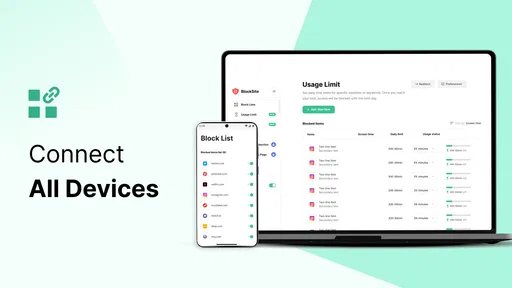
If you’re someone who struggles with digital distractions, you’ll likely find BlockSite to be a game-changer. It’s not just about blocking websites; it’s about helping you build better digital habits. The app’s ability to sync across devices ensures that your blocks are consistent, whether you’re on your phone, tablet, or computer.
Moreover, BlockSite’s integration with browsers like Chrome and Firefox makes it super convenient to manage your blocks no matter where you are. The cross-platform support is seamless, eliminating the hassle of setting up blocks on each device separately.
Cross-device consistency can be especially helpful if switching screens is part of the habit: blocking a site only on a phone may not help much if I immediately open it on a computer. At the same time, I would check which devices and browsers I actually use before building a routine around syncing. A blocker is only useful where it covers the route I tend to take, so it is worth testing the setup on the devices that matter rather than assuming every browsing situation is covered.
One practical question is whether the app is suitable for everyone in a household. It is rated for Everyone, which makes its general audience broad, but the Adult Content Blocker does not turn it into a full parental-control system. I’d choose it for personal focus or as one modest safeguard, not as the only tool for managing a child’s online access.
Another question is whether it costs anything to begin. BlockSite is free, with optional in-app purchases ranging from about fifty cents to just under two hundred dollars per item. I’d start with the free experience and decide whether its day-to-day blocking solves a real problem before considering any purchase; the presence of optional purchases alone is not a reason to pay.
The current version is 2.9.9.2.9550, and the app dates back to February 27, 2018. It supports Android 7.1 and later. Those details are useful when checking compatibility, especially if you use an older device; on a device below that minimum, I would look for a built-in alternative rather than plan around installing it.
Limits and Final Thoughts
Blocking works best when I am willing to let it work. If I repeatedly remove a restriction the moment it becomes inconvenient, it will not create much breathing room. The motivational message can prompt a pause, but it cannot supply motivation on its own, and no schedule can fix an unclear priority or an overloaded day. I see the app as a useful guardrail, not a cure for every kind of distraction.
There is also a balance between useful structure and overblocking. A schedule that is too strict can block a site I need at the wrong time; a list that is too broad can make setup harder to maintain. I’d begin with the smallest change likely to help, watch for the moments when the block genuinely interrupts a habit, and adjust from there. That is more likely to save attention than building an elaborate system I stop using.
In a world filled with distractions, BlockSite: Block Apps & Sites emerges as a powerful ally in the fight for focus. Its ease of use, combined with powerful features like Work Mode and the Adult Content Blocker, make it a must-have for anyone looking to enhance their productivity and digital well-being.
It’s not just about blocking; it's about empowering you to make conscious choices about how you spend your time online. So, if you’re ready to take control of your digital life, give BlockSite a try. Your future self will thank you.
My recommendation is strongest for people who can name the sites or apps that repeatedly steal time and who have a reasonably steady routine for work, study, or winding down. If you only need occasional help, your phone’s built-in focus settings may be simpler; if you need detailed supervision, look for a dedicated parental-control approach. For everyone in between, BlockSite offers a straightforward way to put a little distance between impulse and action—and that small pause can be enough to get back to what you meant to do.
Verdict
Strengths of BlockSite: Block Apps & Sites
- Simple and user-friendly interface.
- Customizable blocking schedules.
- Syncs across multiple devices.
- Helps improve productivity.
- Comprehensive site and app list.
Limitations of BlockSite: Block Apps & Sites
- Limited features in free version.
- Can be bypassed with tech skills.
- Occasional app performance issues.
- Requires accessibility permissions.
- No parental control features.
Similar Picks in This Category
View All
Google Calendar
Google LLC4.6

Google Drive
Google LLC4.3

Google Assistant
Google LLC3.9

Microsoft OneDrive
Microsoft Corporation4.6

Samsung Calendar
Samsung Electronics Co., Ltd.4.1

Microsoft OneNote: Save Notes
Microsoft Corporation4.6
Frequently Asked Questions
What is BlockSite and how does it work?
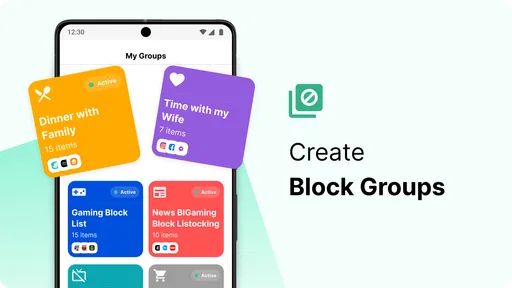
BlockSite is an app designed to help users enhance their productivity by blocking distracting websites and apps. Once installed, users can easily select which sites or apps to block and set a schedule for when these blocks are active. The app works seamlessly in the background, ensuring distractions are minimized during critical work periods.
Is BlockSite compatible with both Android and iOS?
Yes, BlockSite is available for both Android and iOS devices. The app offers similar features across both platforms, allowing users to block websites and apps, set schedules, and receive notifications. Before downloading, ensure your device meets the necessary OS requirements for optimal performance.
Can BlockSite help improve productivity and focus?
Absolutely. BlockSite is specifically designed to help users stay focused by eliminating the temptation to visit distracting sites or apps. By setting up customized block lists and schedules, users can create an environment conducive to productivity, ultimately improving their focus during work or study sessions.
Does BlockSite have a free version, and what features are included?
BlockSite offers a free version with basic functionality, allowing users to block a limited number of sites and apps. The premium version includes additional features like unlimited blocking, scheduling, and adult content filtering. Users can choose the version that best fits their needs and budget.
How secure is BlockSite in terms of privacy and data protection?
BlockSite takes privacy and data protection seriously. The app does not collect personal browsing data or share it with third parties. Users can feel confident that their information is secure while using the app. For detailed information, users should review BlockSite's privacy policy available within the app and on the official website.
